
The JAV Board 10 Smart Board is designed to make teaching more engaging, collaborative, and efficient. Whether you’re leading a classroom discussion, demonstrating complex concepts, or facilitating group activities, the board provides a powerful set of tools that help teachers create interactive learning experiences with ease.
This guide walks you through the most effective ways to use your JAV Board 10 Smart Board to enhance daily lessons.
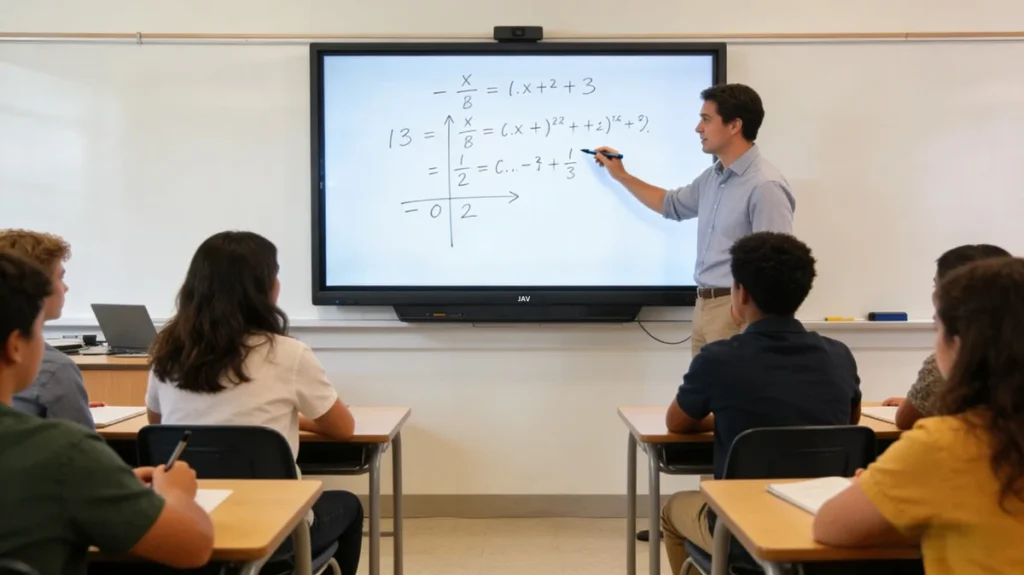
1. Use the Whiteboard App for Real-Time Teaching
The built-in whiteboard offers an intuitive canvas for teachers to write, draw, highlight, and explain concepts as they teach.
Key classroom uses:
- Solve math problems step-by-step
- Annotate diagrams or images
- Highlight key points during discussions
- Save and export notes for students to review later
Tip: Use split-screen mode to display reference materials on one side and your writing on the other.
2. Present Multimedia Content with Ease
The JAV Board 10 supports videos, images, slides, websites, and educational apps, making lessons more dynamic.
You can:
- Play instructional videos directly from YouTube, websites, or USB
- Display Google Slides or PowerPoint presentations
- Zoom in on images or charts for detailed explanations
- Switch between different media smoothly during class
This helps students grasp visual concepts faster and stay engaged.
3. Annotate Over Any Screen
The floating toolbar lets teachers annotate over apps, websites, documents, or videos.
Examples:
- Highlight important vocabulary in a PDF
- Draw over science experiments or maps
- Circle objects on a paused video
- Write reminders during online content
After annotating, you can save screenshots with your notes and share them with students.
4. Facilitate Group Collaboration
The JAV Board 10 encourages interactive group work.
You can:
- Allow students to write or draw on the board
- Use multiple touch points to enable group problem-solving
- Split students into teams and let each group take turns presenting
- Use mind-mapping tools for brainstorming
If your classroom uses tablets or laptops, the board also supports wireless casting, letting students share their work instantly.
5. Use Wireless Screencasting for Student Sharing
With built-in screen mirroring support, students can cast their screens to the board from compatible devices.
Perfect for:
- Project demonstrations
- Group project presentations
- Live quizzes or polls
- Peer review activities
Teachers remain in control—approve or deny casting requests for smooth classroom management.
6. Access Cloud Files Easily
Teachers who work across multiple classrooms or devices can benefit from cloud storage integrations.
Simply sign into your preferred cloud service to:
- Access lesson plans
- Open your teaching materials
- Sync files between home and school
- Share documents instantly
No need for USB drives or extra devices.
7. Enhance Lessons with Subject-Specific Tools
The JAV Board 10 supports a wide range of Android-based teaching apps. Teachers can use:
- Math tools (geometry boards, calculators)
- Language arts tools (reading apps, annotation apps)
- Science simulation apps
- Art and drawing apps
- Geography tools
- Classroom management apps
This lets you customize lessons according to grade level and subject.
8. Use the Remote Control for Air Mouse & Voice Commands
The included remote unlocks two powerful features:
Air Mouse
Move the cursor in the air by pointing the remote at the board—ideal for:
- Clicking buttons from a distance
- Navigating slides
- Pausing or playing videos while walking around the classroom
Voice Control
Hold the voice command button to activate Google Gemini for hands-free tasks:
- Search for content
- Open apps
- Trigger tools without touching the screen
This allows teachers to teach more freely and naturally.
9. Record Your Lessons
Lesson recording helps students review content after class.
Teachers can:
- Record the screen along with written notes
- Save recordings to internal storage or cloud services
- Share lessons with absent students
This is especially helpful for flipped classrooms or hybrid learning environments.
10. Improve Classroom Management
The JAV Board 10 is designed to help teachers stay organized.
You can:
- Pin frequently used apps
- Create folders for each class or subject
- Switch between teaching materials instantly
- Lock the screen when needed
Keeping everything in one place saves time throughout the school day.
Conclusion
With versatile teaching tools, multi-touch interaction, and seamless content sharing, the JAV Board 10 transforms everyday lessons into immersive, interactive learning experiences.
Educators can teach more effectively, students stay engaged, and classroom collaboration becomes effortless.
If you need help setting up any teaching features, explore our other Help Center articles or contact our support team anytime.