
Follow these steps to mirror your computer screen onto the JAV Smart Board:
Step 1. Connect the Adapter to the Smart Board
- Launch the EhsarePro app on your JAV Smart Board.
- Plug the wireless display dongle into the USB port on the JAV Smart Board.
- Wait for the pairing to complete.
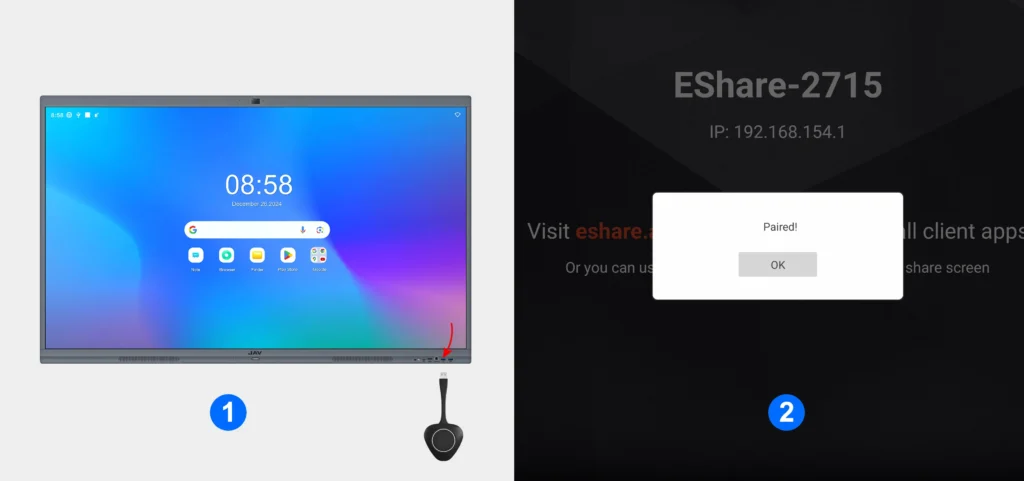
Step 2. Switch to the Computer
- Once the pairing is successful, remove the dongle from the smart board and plug it into your computer’s USB port.
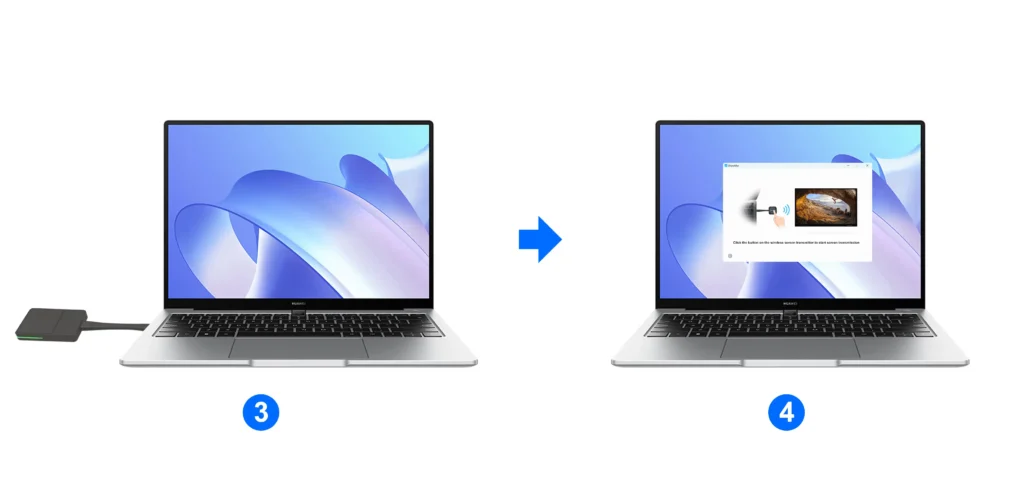
Step 3. Start Screen Casting
- A prompt box will appear on your computer screen.
- Press the button on the dongle to confirm and start screen casting.
Step 4. Enjoy Wireless Sharing
You can use it for presentations, training, or collaboration without any cables.
Your computer screen will now be displayed on the JAV Smart Board.