
The JAV Board 10 Smart Board comes with a built-in Hotspot feature that allows it to share its network connection with other devices. Follow these steps:
- Go to Settings.
- Select Network & internet.
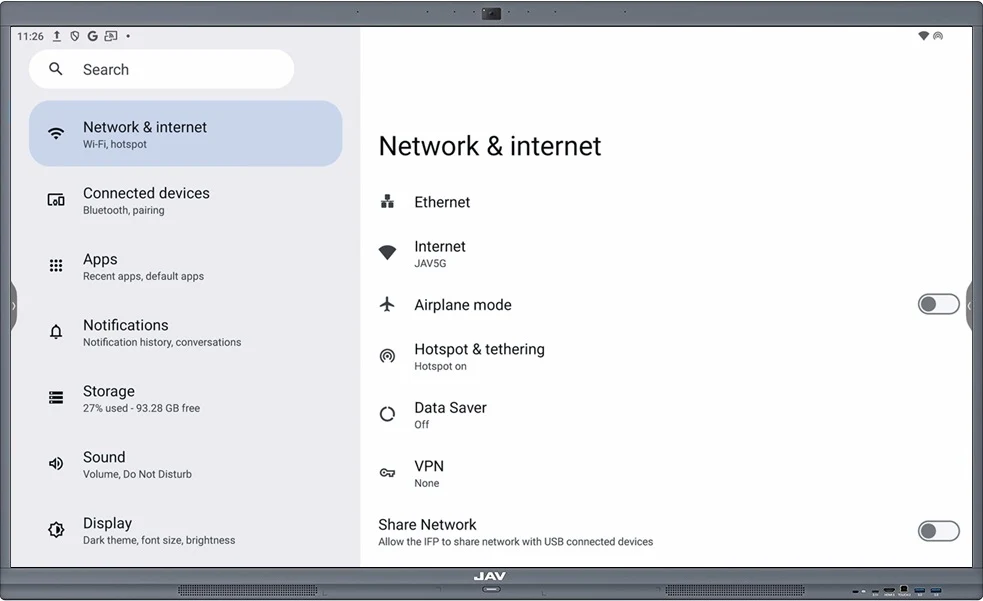
3. Tap Hotspot & tethering.
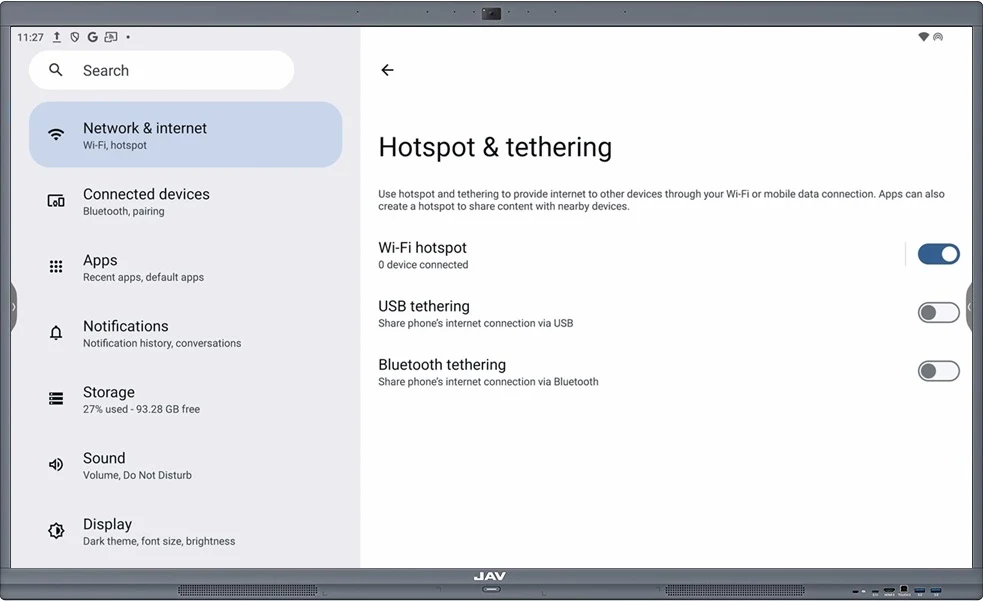
4. Choose Wi-Fi Hotspot.
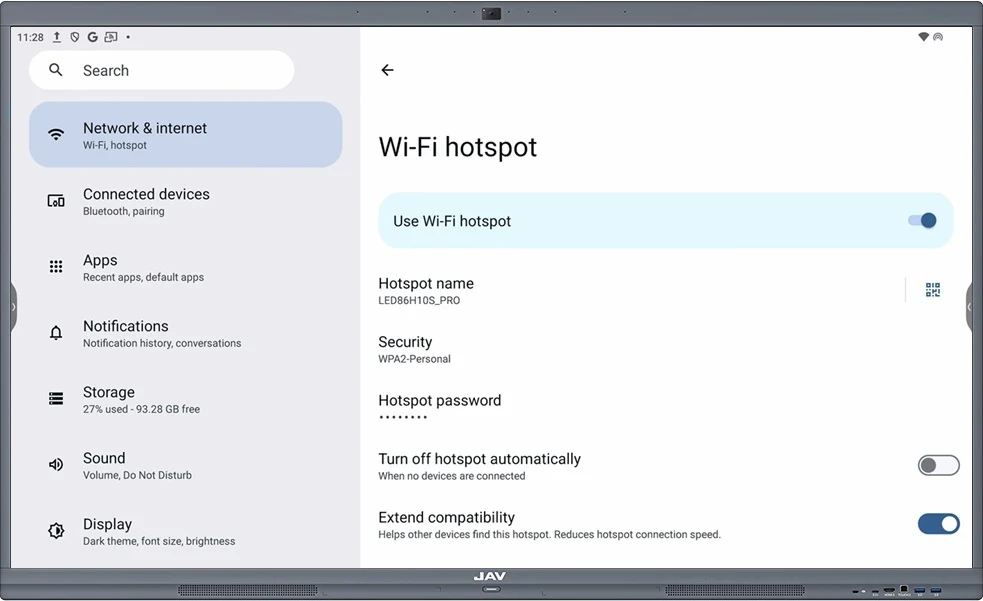
5. Toggle the switch to On to activate the Hotspot if it’s Off.
6. Configure your Hotspot by setting the following:
- Hotspot name (SSID)
- Password
- Security type (recommended: WPA2 for safety)
How to Connect Devices
- On your laptop, tablet, or phone, open Wi-Fi settings.
- Look for the Smart Board’s Hotspot name.
- Enter the password you set.
- Once connected, the device can access the internet through the Smart Board’s Hotspot.