
A smart board is an interactive display designed to modernize and replace traditional presentation tools—such as projectors, screens, and electronic whiteboards—with a single, all-in-one solution. You can think of it as a large-format interactive tablet built for professional meetings, teaching environments, and everyday collaboration.
Smart boards allow users to write on a digital whiteboard, present documents, annotate in real time, play videos, conduct remote video conferencing, and install apps to support a wide range of workflows. They help teams communicate more clearly, work more efficiently, and collaborate from anywhere.
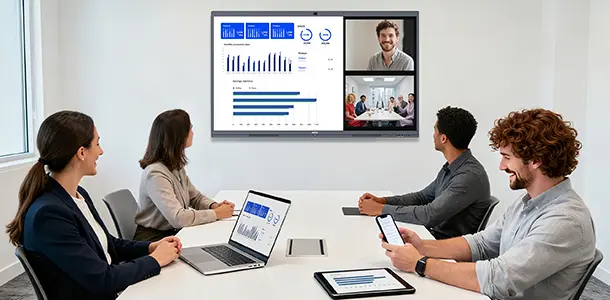
Key Features of a Smart Board
Whiteboard App for Easy Presentation
Quickly jot down ideas, draw diagrams, brainstorm, and save notes. The whiteboard app provides a smooth writing experience designed for real-time collaboration.
Screen Sharing
Wirelessly cast content from your laptop, tablet, or smartphone. This eliminates cables and makes switching between presenters effortless.
File Presentation
Open PDFs, slides, images, and documents directly on the smart board without needing a computer. This ensures smoother presentations and more engaging discussions.
Video Conferencing
Most smart boards include built-in cameras, microphones, and speakers, allowing you to run online meetings using popular conferencing apps.
Operating System With App Installation
An operating system that supports app installation to enhance different workflows and collaboration needs—whether it’s productivity tools, teaching apps, or remote communication.
Where Smart Boards Are Used (and Why They’re Helpful)
1. Meeting Rooms
Smart boards make team meetings more efficient and dynamic.
Benefits:
- No need for projectors or cables
- Clear and bright display for presentations
- Real-time annotation and brainstorming
- Seamless hybrid meetings with video conferencing
2. Personal Offices
Ideal for executives, managers, and anyone who needs a powerful collaboration tool in their workspace.
Benefits:
- Easily present to clients and team members
- Visualize workflows during planning sessions
- Use as a large touchscreen display for multitasking
3. Social Spaces (Lounges, Lobbies, Open Areas)
Great for informal collaboration and general communication.
Benefits:
- Encourages spontaneous discussions
- Supports quick stand-up meetings
- Functions as digital signage when idle
4. Traditional Halls and Training Rooms
Perfect for large-group communication and training sessions.
Benefits:
- Replaces outdated projectors
- Better clarity and engagement for large audiences
- Supports interactive training and live annotation
5. Classrooms
A smart board enhances modern teaching and student engagement. Consider it a smart whiteboard that can do everything an Android tablet can do and with a large screen.
Benefits:
- Interactive lessons using apps, video, and digital tools
- Better visibility compared to projectors
- Supports hybrid and remote learning environments
6. Home
Useful for remote work, family collaboration, and entertainment.
Benefits:
- Conduct online meetings and classes at home
- Use as a digital planner or creative space
- Functions as a versatile hub for work, learning, and media
Why Smart Boards Matter
Smart boards simplify communication and improve collaboration—whether you’re in a meeting room, classroom, or remote environment. By replacing multiple pieces of traditional equipment with one interactive flat panel display, they bring efficiency, clarity, and flexibility to any modern workspace or learning space.