
The JAV Board 19 Interactive Display is designed for meeting rooms where teams need more than screen sharing. With its built-in AI meeting features, the JAV Board 19 helps capture spoken discussions, translate multilingual conversations, and turn meeting content into structured notes.
What the JAV Board 19’s AI Meeting Assistant Can Do
The JAV Board 19’s AI meeting app is designed to support:
- Real-time speech recognition during meetings
- AI subtitles for live discussions
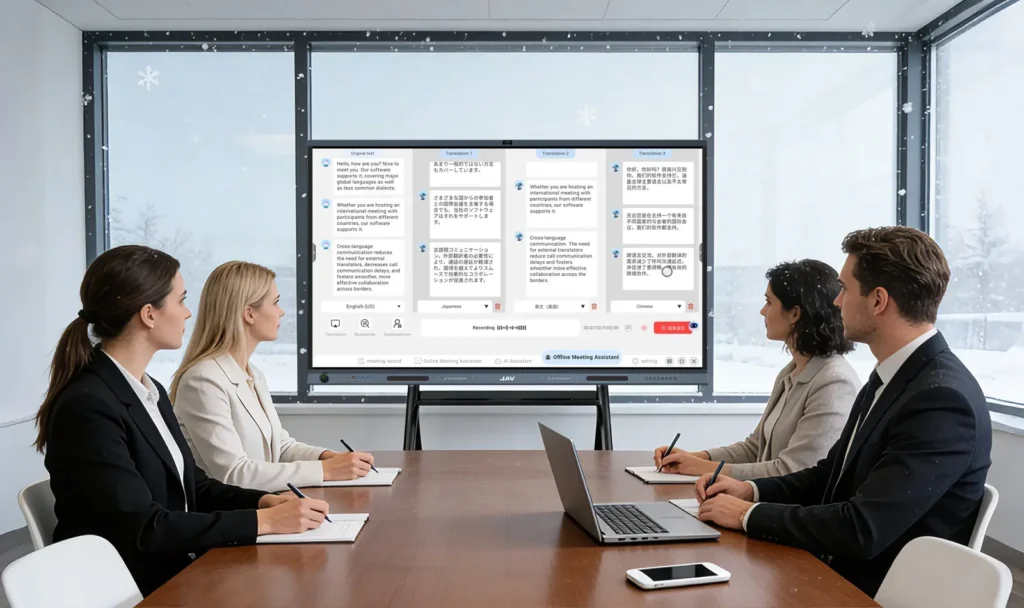
- Multi-language real-time translation
- Automatic meeting summaries
- Key topic extraction
- Action-item and responsibility tracking
- Exportable meeting text for follow-up
This is especially useful for hybrid meetings, international teams, training sessions, executive reviews, and project discussions where manual note-taking can easily miss details.
When to Use AI Transcription
Use AI transcription when you want a written record of the meeting without assigning one person to take notes. The feature can help capture ideas, decisions, and discussion points while participants stay focused on the conversation.
Recommended scenarios:
- Weekly team meetings
- Sales and client calls
- Product review meetings
- Training sessions
- Classroom discussions
- Cross-border business meetings
How AI Translation Helps Global Teams
For meetings with international customers, overseas branches, or multilingual participants, the JAV Board 19 can display translated speech as subtitles. This reduces the need to switch between separate translation tools and helps both sides follow the conversation more naturally.
For best results:
- Speak clearly and avoid multiple people talking at once
- Keep the room microphone area unobstructed
- Confirm important business terms after translation
- Export the transcript after the meeting for review
How AI Meeting Summaries Save Time
After the meeting, the AI meeting app can summarize the discussion into a clearer structure. Instead of reviewing a full recording or rewriting notes manually, teams can quickly review:
- Main topics discussed
- Key decisions
- Follow-up tasks
- Responsible people
- Next steps
This helps reduce the time spent on post-meeting follow-up, turning a long manual process into a faster review and approval workflow.
Best Practices for Better AI Meeting Results
To improve transcription and summary quality:
- Use JAV Board 19 in a room with stable network access
- Keep background noise low
- Let one speaker finish before another begins
- Place participants within the microphone pickup range
- Review exported notes before sharing externally
- Avoid discussing confidential information unless your organization has approved the workflow
Related JAV Board 19 Interactive Display Hardware Advantages
The JAV Board 19 interactive display is designed for AI meeting scenarios with dual 48MP cameras, a 12-microphone array, speaker tracking, auto-framing, noise reduction, echo cancellation, and a wide camera field of view. These features help remote participants see and hear more of the room, not just the person closest to the screen.