
An interactive whiteboard for education can do more than display lesson content. It can help teachers check what students understand while a lesson is still in progress. Instead of waiting until a test to discover learning gaps, teachers can collect responses, examine students’ reasoning, and adjust explanations before moving to the next topic.
This process is known as formative assessment. Its value lies not in asking more questions, but in using the answers to decide what to teach next. With a clear assessment strategy, an interactive whiteboard can make this process more visible and easier to manage.
1. Check Understanding Before Moving to a New Topic
Before introducing a new concept, ask a short question that tests students’ understanding of the previous lesson. Students can write an answer, select an option, or explain their reasoning on the board.
For example, after teaching fractions, a teacher might ask students to compare two fractions and explain which is larger. The answers can reveal whether students understand equivalent fractions or are relying only on the size of the numbers.
The important step is to review the responses before continuing. If several students make the same mistake, the teacher can revisit the concept rather than assuming the class is ready to move forward.
2. Use Student Work to Identify Misconceptions
A correct answer does not always mean a student understands the underlying concept. Likewise, an incorrect answer may result from a calculation error rather than a misunderstanding.
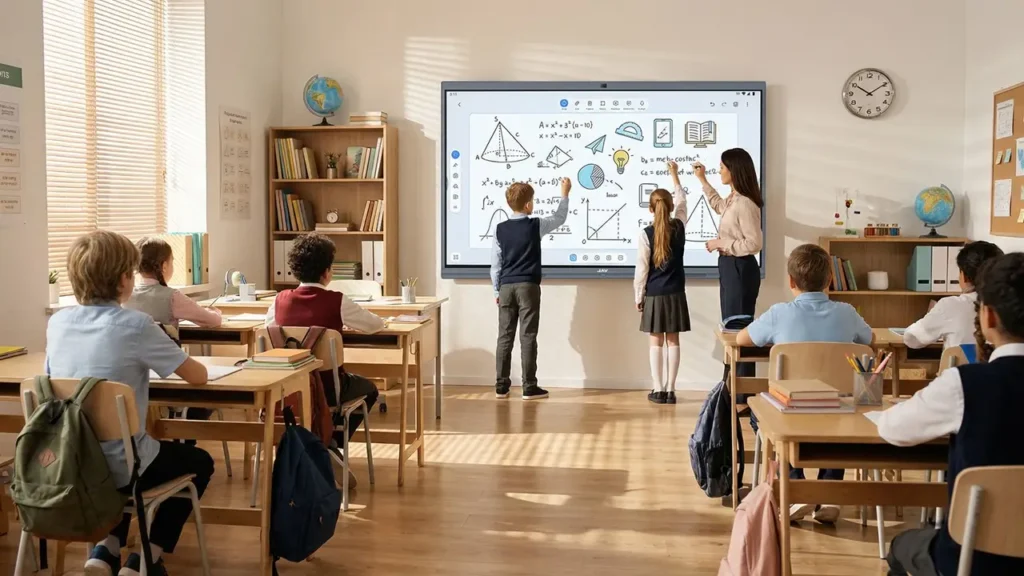
An interactive whiteboard allows teachers to display student solutions, annotate important steps, and compare different approaches. For instance, a teacher can place two solutions to the same mathematics problem side by side and ask students to identify where the reasoning differs.
An advanced interactive whiteboard like the JAV Board 19 supports digital whiteboard writing and annotation, making it possible to examine working steps directly on the display. Teachers can highlight a specific line, add a correction, or invite students to explain how they reached their answers.
This approach shifts assessment from simply marking answers right or wrong to investigating how students think. It also helps teachers distinguish between an isolated mistake and a misconception that needs further explanation.
3. Use Quick Quizzes to Gather Classroom Feedback
Short quizzes can help teachers check understanding across the class, rather than relying only on answers from students who volunteer to speak.
A few targeted questions can test key definitions, conceptual relationships, or the application of a recently taught idea. Teachers should focus on questions that reveal likely misunderstandings, rather than testing every detail from the lesson.
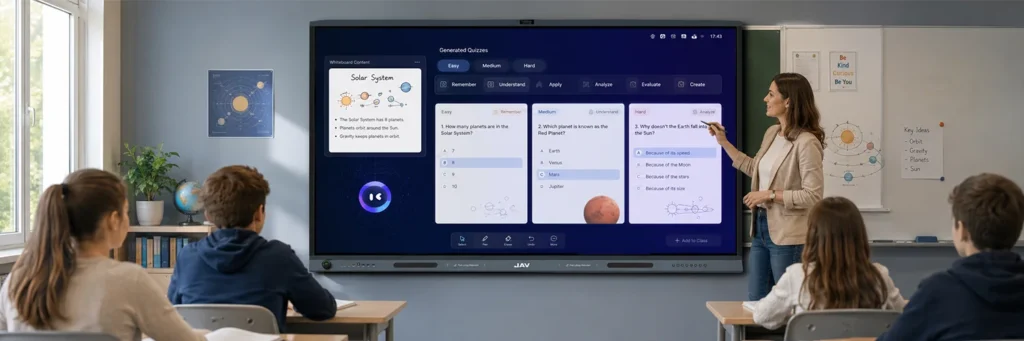
JAV Board 19 includes Quiz Master, a quiz tool designed for educational settings. Teachers can use quiz-based activities to review students’ responses and identify areas that may need further attention. The results still require professional interpretation: a quiz score alone cannot explain why a student chose an answer or establish complete mastery of a topic.
For more useful feedback, combine quiz results with follow-up questions and students’ written reasoning.
4. Adjust Teaching Based on the Evidence
Collecting answers is only the first step. Formative assessment becomes useful when teachers change their next action in response to what they observe.
If most students understand the concept, the lesson can progress to a more challenging application. If several students struggle with the same step, the teacher can provide another explanation, use a different visual example, or work through a problem more slowly.
The whiteboard can support this adjustment by allowing teachers to revise diagrams, add annotations, and revisit earlier explanations without rebuilding the lesson from scratch.
Teachers should also avoid treating every incorrect answer as evidence of a general learning problem. A brief follow-up question can help clarify whether the issue comes from unfamiliar vocabulary, a missed instruction, or a deeper conceptual misunderstanding.

5. Recheck Understanding Before Ending the Lesson
After reviewing a misconception, ask a new question that tests the same concept in a slightly different context. This helps determine whether the explanation addressed the problem or whether further practice is needed.
For example, after explaining why a fraction comparison was incorrect, ask students to solve a similar question with different values. If their reasoning improves, the teacher has useful evidence that the revised explanation helped.
Teachers can also use the final minutes of a lesson for a short written response or exit question. Recording common difficulties makes it easier to plan the next lesson and decide which concepts need review.
Make Formative Assessment Part of Everyday Teaching
An effective interactive whiteboard for education supports a continuous cycle of questioning, observation, feedback, and adjustment. The technology makes student work easier to display and discuss, but meaningful assessment still depends on the questions teachers ask and the decisions they make from the evidence.
By combining whiteboard annotations, student solution reviews, and short quizzes, teachers can identify learning gaps earlier and respond more precisely. Tools such as JAV Board 19 can support this process by bringing digital writing and quiz-based assessment into the classroom. The goal is not simply to make lessons more interactive, but to help teachers understand what students have learned—and what they need next.